Find your best moments
Switchview Clip reviews your recording and automatically selects the scenes with the most potential.
From long recordings to ready-to-share clips
Turn long recordings into clips ready to share, without spending hours editing.
Switchview Clip finds the best moments in your recording, creates vertical clips, and gets everything ready so you can share wherever you want.
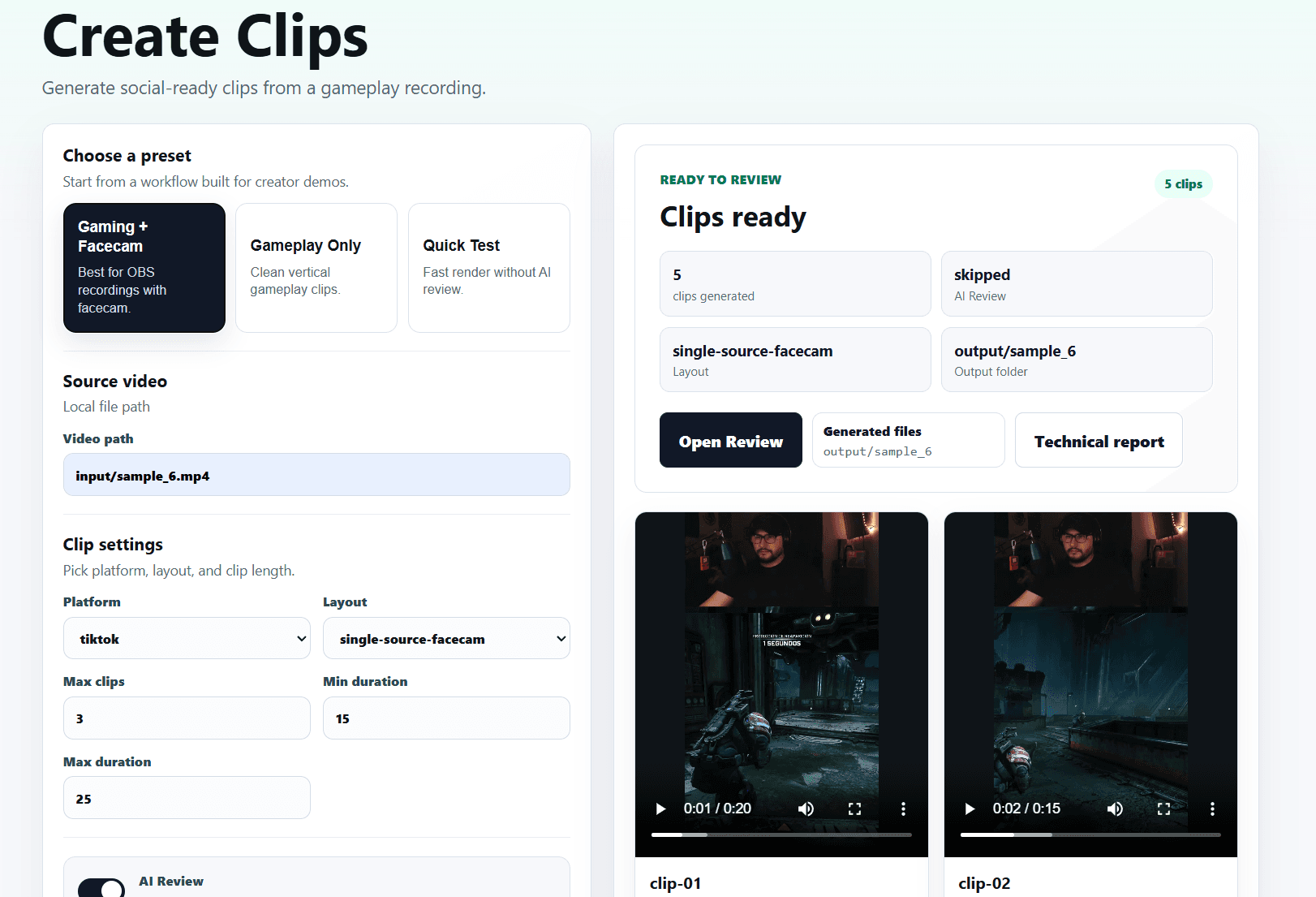
Demo
Each clip includes a preview, a quality score, and optional suggestions to help you decide what is worth posting.
Features
Switchview Clip reviews your recording and automatically selects the scenes with the most potential.
Your clips are prepared for short-form video platforms.
Use your regular gameplay recordings, including layouts with facecam.
Get optional title, caption, and hashtag suggestions to speed up your workflow.
Review every clip before sharing and choose exactly what you want to post.
Demo Project
We're preparing a demo so you can see how one long recording becomes clips ready to review.
Early Access
Be one of the first creators to try Switchview Clip and help us build a better tool for creators.
FAQ
Yes, it is designed for OBS-style gameplay recordings.
Yes, especially layouts where the facecam already exists inside the recording.
Not yet. Switchview Clip prepares your clips so you can review them and share them easily on the platform you prefer.
We're inviting new creators gradually as we expand access. Join the waitlist and we'll let you know when you can start using Switchview Clip.